The dashboard
The rig's own web page, served by the rig at port 8090 (or behind its reverse proxy). Six pages in the header: Overview, Runs, Boards, Firmware, Settings and your Profile. Sign in with a key; the key stays in that browser tab and nowhere else. A tour of the dashboard shows every page with a picture.
The same pages, rendered from the same rig-view document, are what a farm shows for this rig once it is connected. What you see here is what the farm sees, no more.
Overview
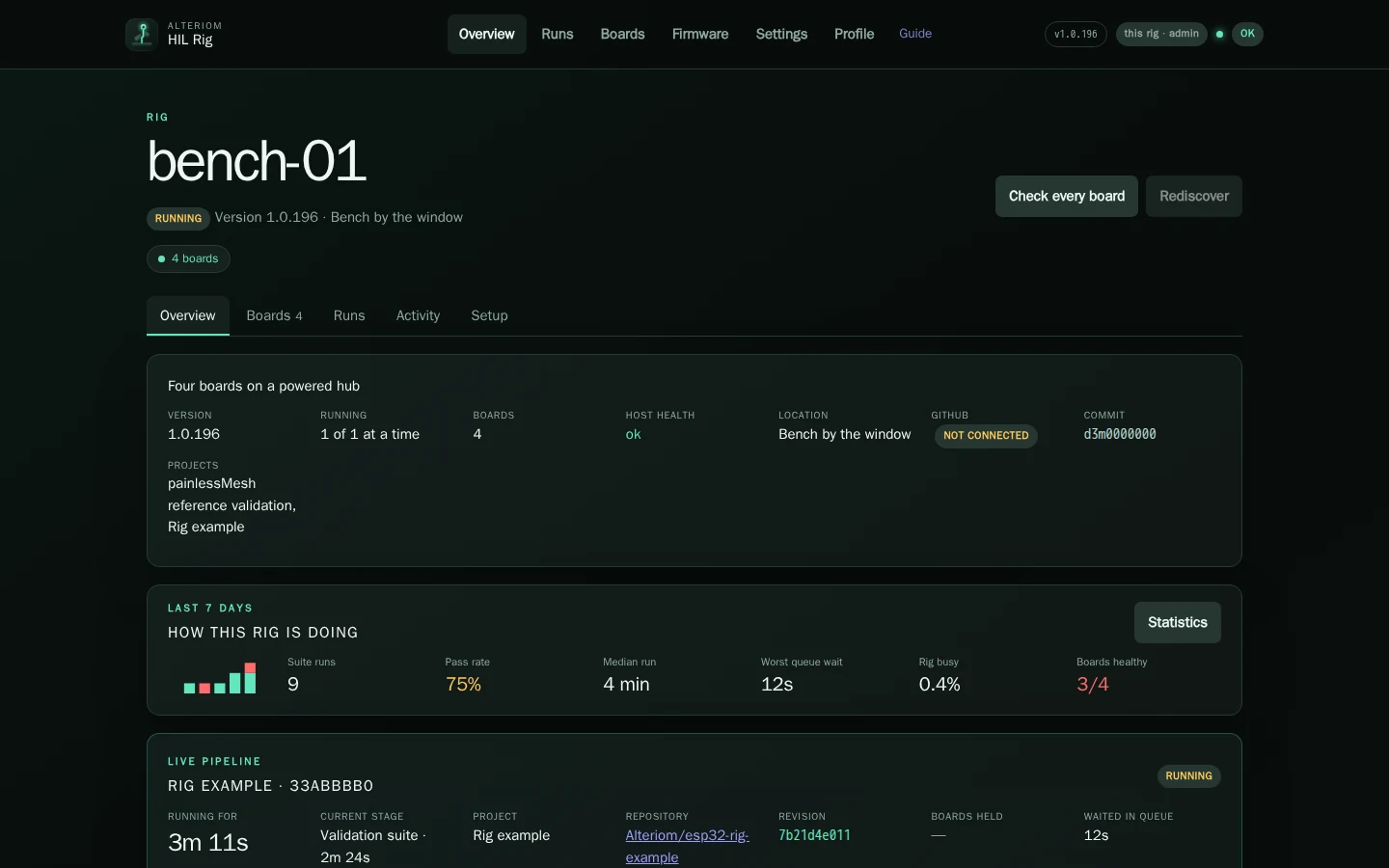
The rig's own page. Its name, description and location as written in Settings; its version; its health in a word with what is not ok up front, and every check behind one click; the run in progress with its live stages; what needs attention; recent runs; the boards. How this rig is doing is the last seven days in one line, and Statistics opens the whole history. At the bottom, the public page of the farm the rig software comes from, with a way to connect this rig to it. Nothing there is yours; connecting is a choice made in Settings.
Runs
New run at the top: choose the project, the bundle to flash (the ones the rig holds for that project, newest first; Get firmware from GitHub on the project's page fetches a new one), which boards or families, and under Test selection a pytest keyword or a list of test files to narrow the suite. Run.
Below, every run the rig has made, newest first, searchable, with its verdict, project, commit, boards, duration and who asked for it, linked to their profile.
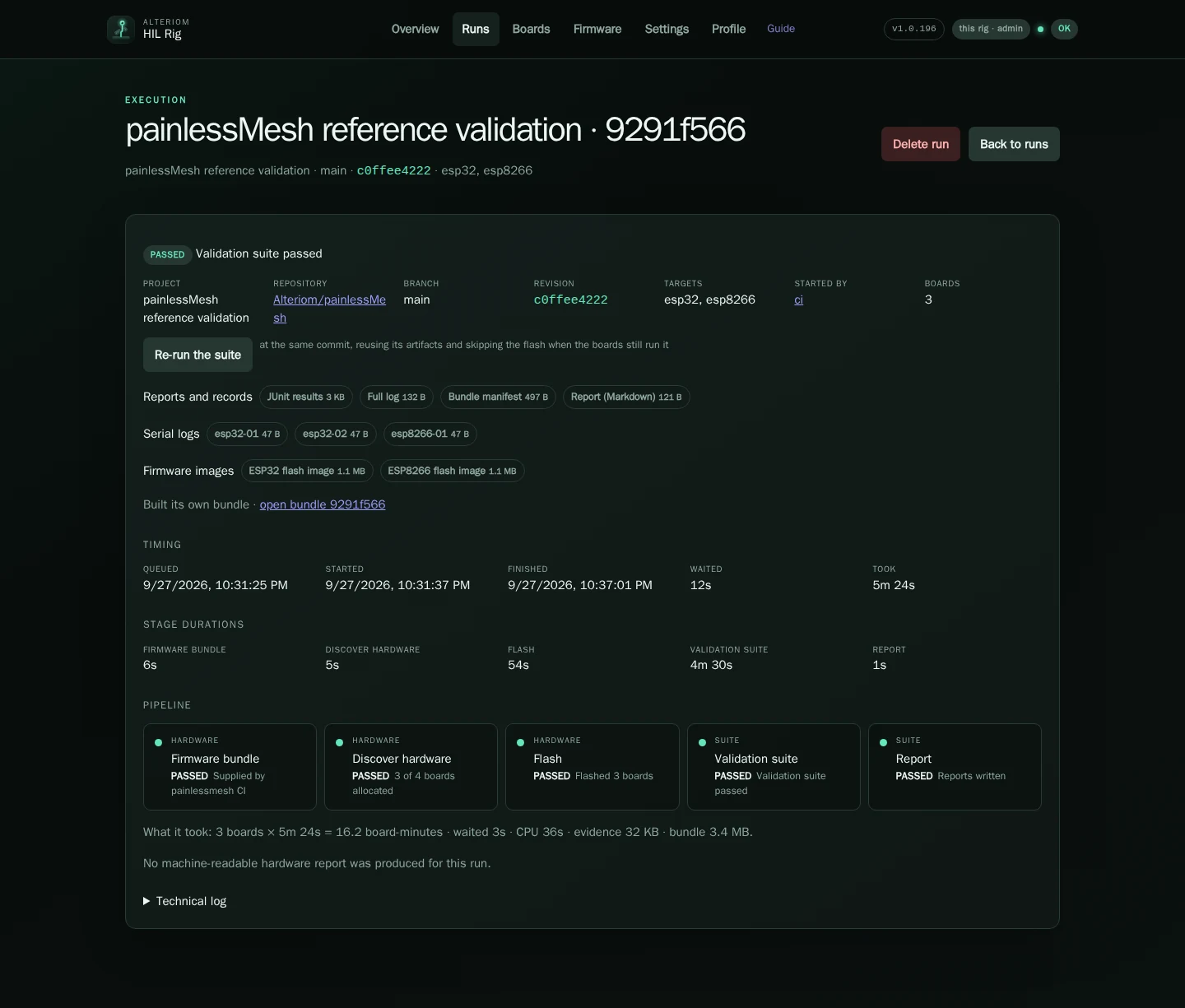
A run's page has:
- the pipeline — checkout, discover, flash, preflight, suite, report, each with its duration and log;
- the results — every test, per board where the suite is per board, with the failure text;
- the evidence — the pipeline log, one serial capture per board, the JUnit file, the report, each downloadable;
- cancel while it runs, delete once it has finished. What a run left is yours to keep or not.
The queue's state is at the top of the page: paused by a red health check with the reason, or by you; resume from there.
Boards
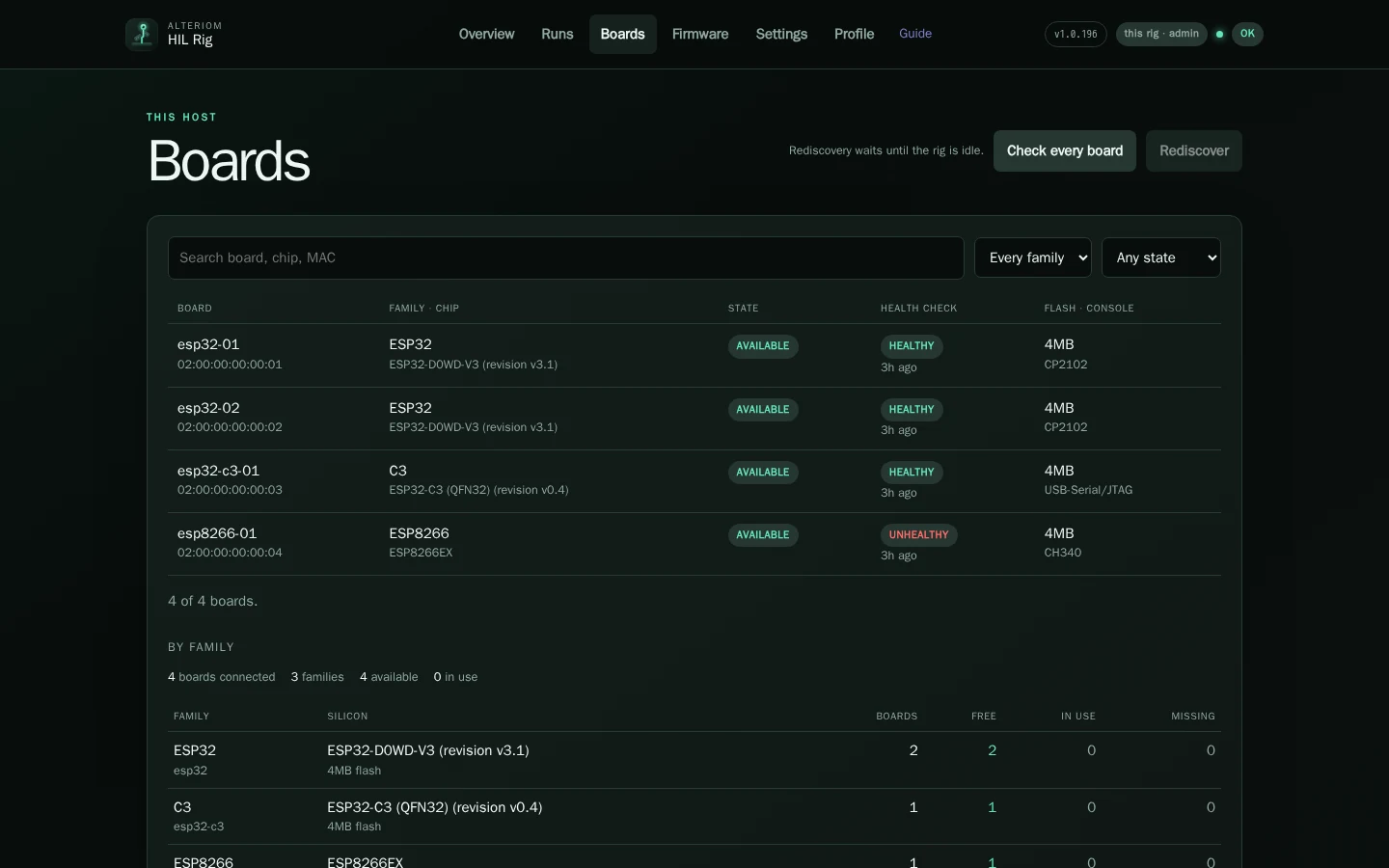
Every board the rig knows: name (family and the last four characters of its MAC), family, port, state (idle, held by a run, quarantined, red on a check), the last health check's verdict per check, and the chip it reported (model, revision, cores, flash size). Filter by family and state; search.
Rediscover opens every port and reads every chip again; it waits for the rig to be idle, since a discovery resets boards a run may be holding. Run the Rig Health Check checks every board. A board's own page has its chip in full, its health check history, the runs it took part in, and a check of that one board.
Instruments (test equipment wired to boards) appear here too, with their
wiring. Register one with alteriom-hil-admin instruments add, and each
jumper with instruments wire.
Firmware
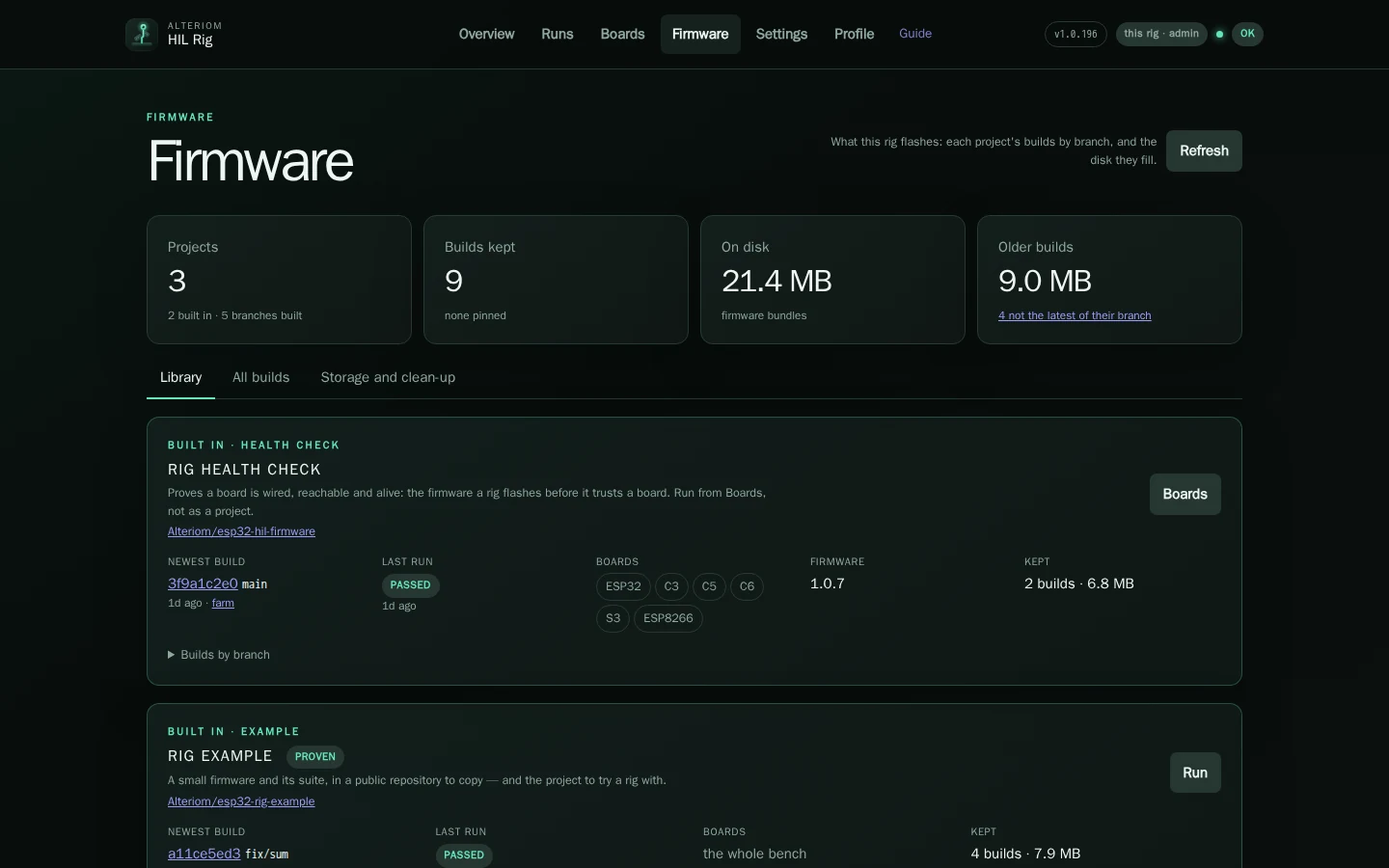
Library is one card per project: the newest build of each branch and who it came from, the last run on it, the families it holds and what it keeps on disk. All builds is every bundle the rig holds, one row each: the project, the commit, the families, the size, when it arrived and how (fetched from GitHub, handed over by a CI, installed with a release), and whether it is pinned. The health check's bundle is pinned by the release that installed it. Storage and clean-up says what older builds cost and prunes them: retention removes old unpinned bundles, and a pinned one outlives every prune. Download a bundle or delete one from its page.
Statistics
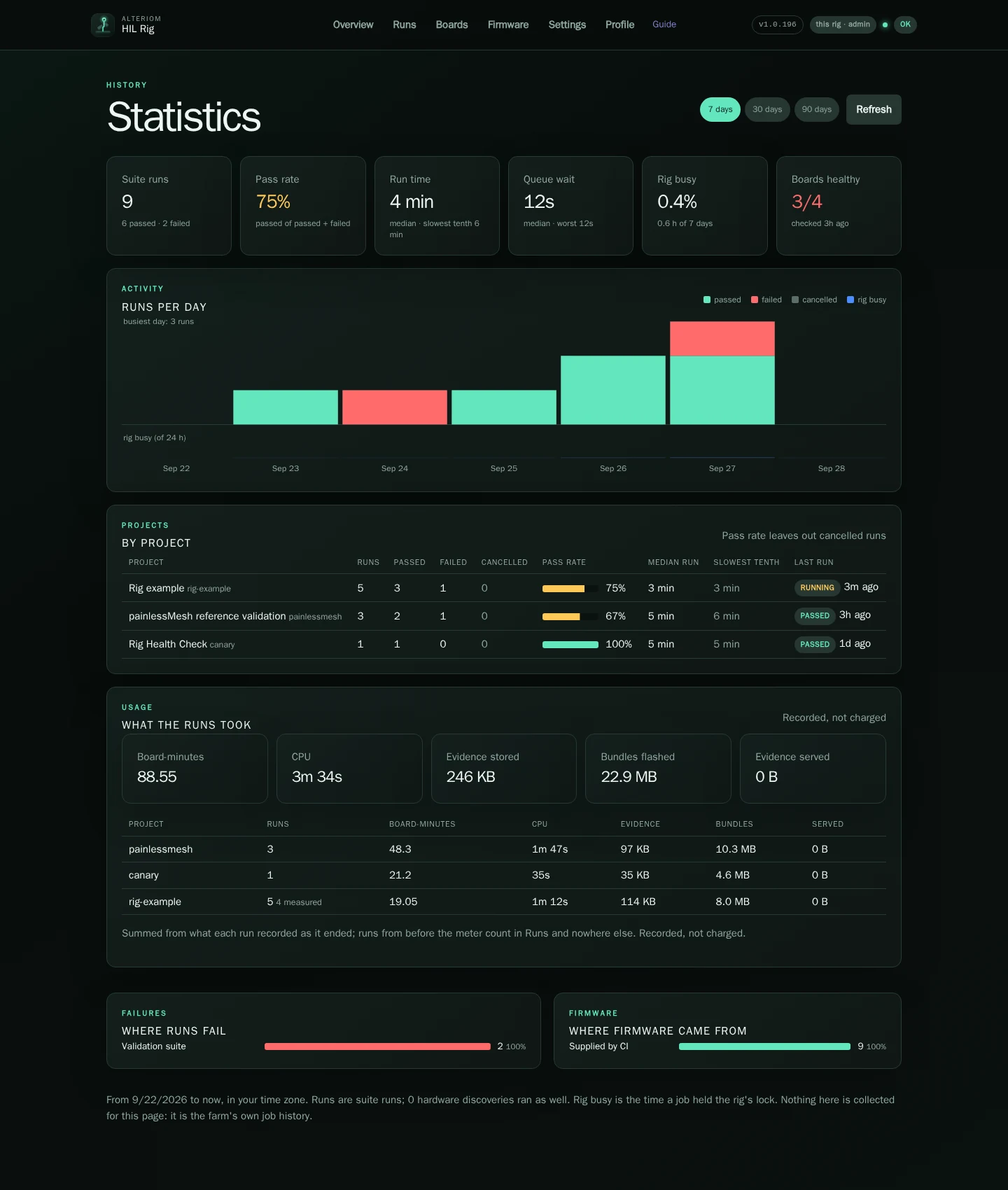
Opened from Overview. Seven, thirty or ninety days: suite runs, pass rate, median and slowest run, queue wait, how busy the rig was and how many boards are healthy; runs per day by verdict; each project's runs and pass rate; what the runs took (board-minutes, CPU, evidence and bundle bytes, recorded and never charged); which stage failures come from; and where the firmware came from. All of it is the rig's own job history.
Profile
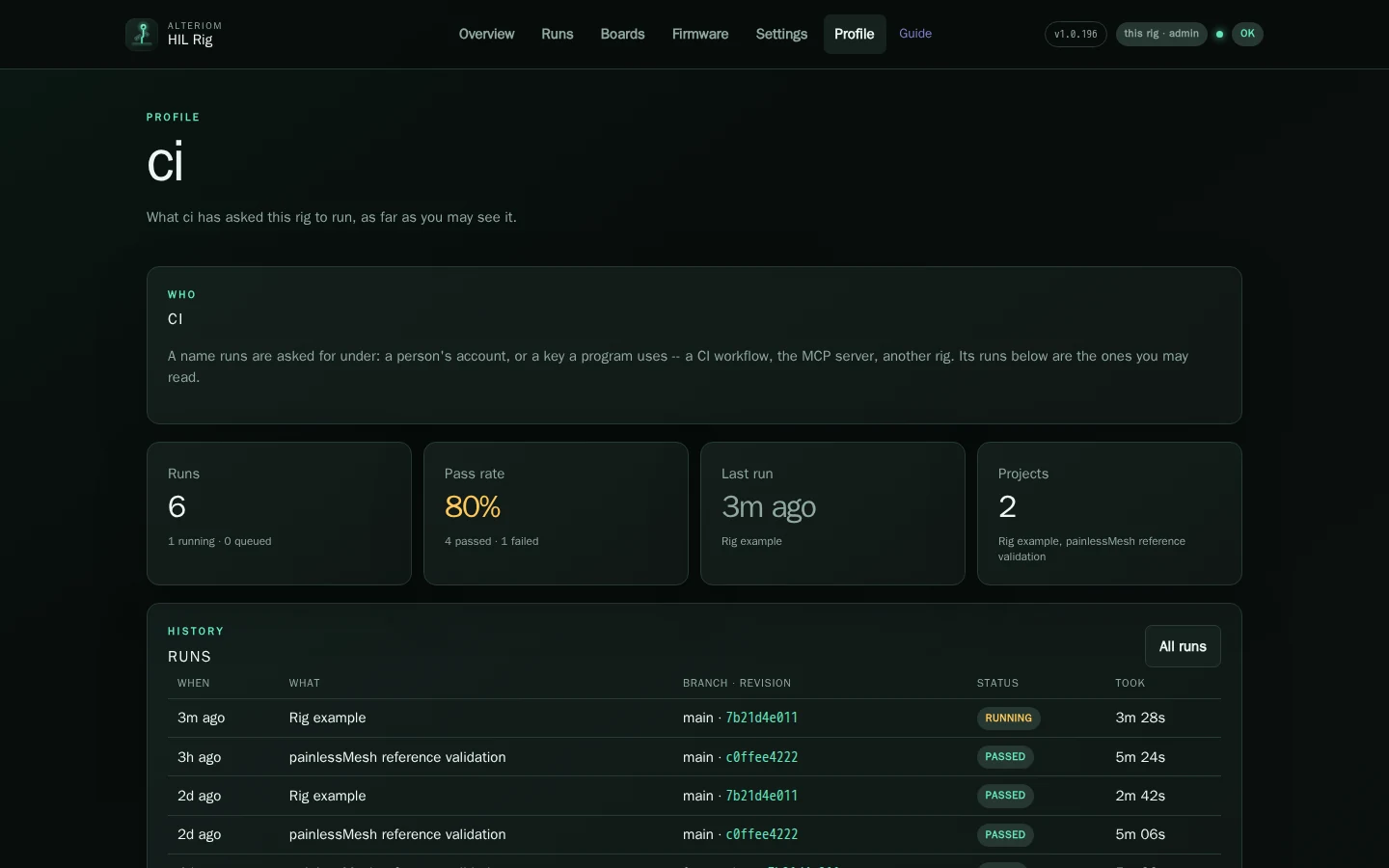
Every name a run was asked for under has a profile at #profile/<name>: a
person's key, a CI's key, a farm account. It shows that name's runs (only
the ones you may see), its pass rate, its last run and the projects it ran;
the by link on any run opens it. The runs behind it are
GET /api/v1/jobs?by=<name>.
Profile in the header is yours: who the rig says you are, your role and
what it allows, how you signed in, your own runs, and Forget this key.
Signed in with a key, it also shows Use this key from a workflow: the
request a CI job sends to run a suite, with this rig's address in it. Give
each CI its own user key (Settings → Access), named after the workflow; its
runs then have a profile of their own, and revoking it touches nothing else.
Settings
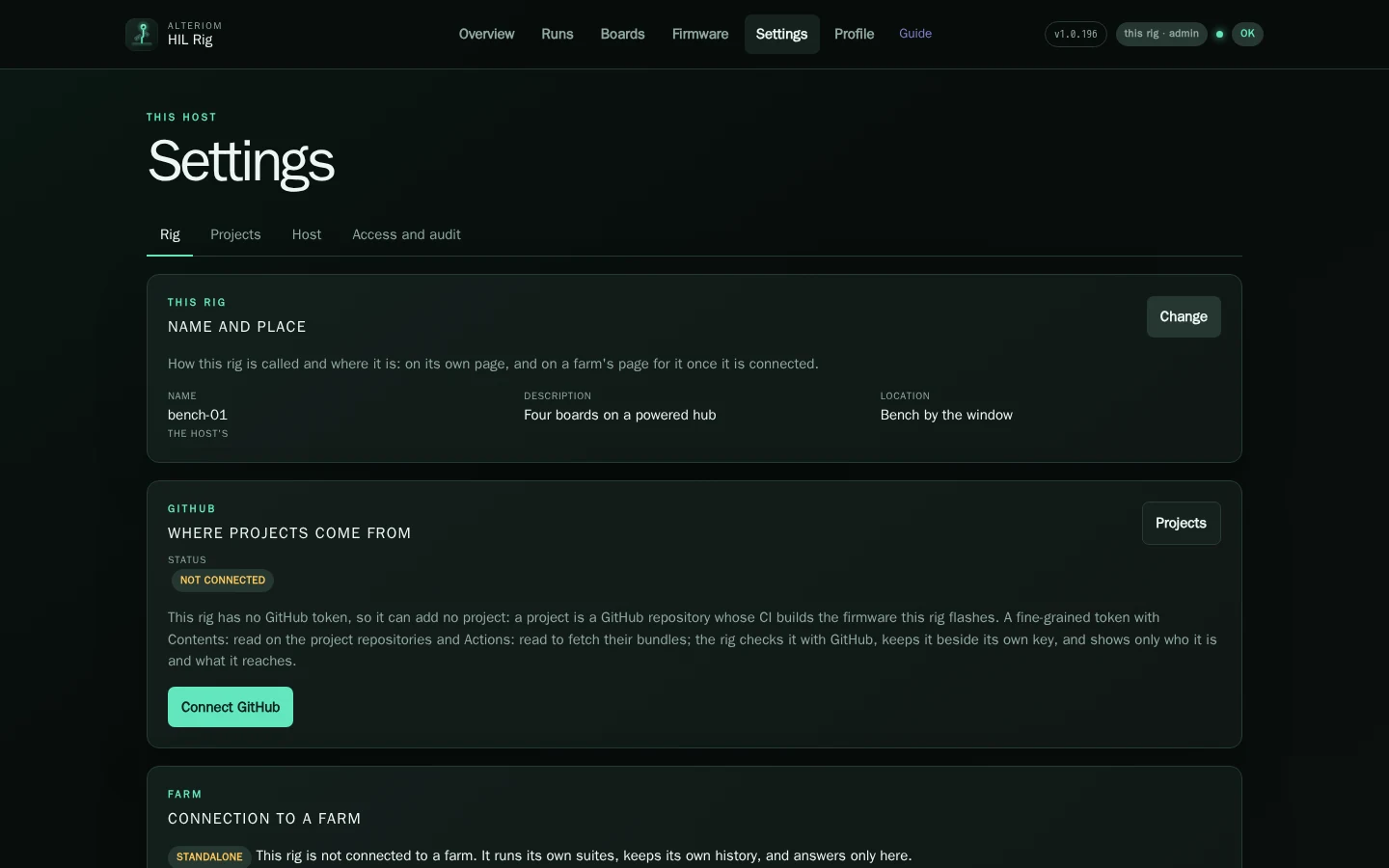
Four pages on a rig, one purpose each.
Rig — the rig's name, description and location (what its page shows, here and on a farm); GitHub, the token the rig reads projects and their bundles with: who it is according to GitHub, what kind it is, when it expires, where it came from, which repositories it reaches and what it may do with each project's, as a status block with a per-project table; Check again, Details (the whole picture: the private repositories it was given, the public ones it sees, what GitHub refused and why), Replace token (the form appears only then) and, for a token given from the page, Forget it; Connection to a farm, connect, what is shared, disconnect; Software: the version installed, the newest release (from GitHub's releases of the rig software, or from the farm a node belongs to), Check for updates, Install when one is newer, and Install updates automatically, off until you turn it on. A rig is never updated because a farm said so: the farm's release is offered until you install it, from either page, or turn automatic installs on.
Projects — the projects this rig runs and no other. Each has a page: its configuration (repository, default branch, suite path, families, the supply workflow and artifact name), the bundles the rig holds for it, its recent runs, Get firmware from GitHub, edit, remove. Add project starts from a repository URL: the rig looks it up on GitHub and fills the form in, saying what it found and what it guessed. A shipped project (the Rig example, and painlessMesh, the reference) can be removed and later restored. The Rig Health Check is not a project: it comes with the release and is run from Boards. Projects and your CI has the whole story.
Host — the host configuration the rig runs with, by section: the queue's
concurrency, the health thresholds, quarantine, retention, backup, the
gateway network, the broker, notifications. Each setting shows its value and
what it means; the ones the service reads at start say so. The same document
is /etc/alteriom-hil/config.yaml, edited with alteriom-hil-admin config
set.
Access — the API keys: the rig's own, and the ones you made, each with
its role (admin, user, node) and when it was last used. Create one
(shown once), revoke one. Sessions signed in with a key, and a way to revoke
them.
Keys and roles
| Role | May |
|---|---|
user |
read everything the rig shows; submit a run |
admin |
everything: projects, settings, keys, the GitHub token, deleting runs and bundles, draining the rig |
node |
what a farm's agent needs, and nothing a person does |
The rig's own key (/etc/alteriom-hil/api-token) is an admin. Make a user
key for a browser you do not administer from, and a separate key per CI
that hands bundles over, so one can be revoked without the other.